Lost connection to shooIQ cloud
Problem
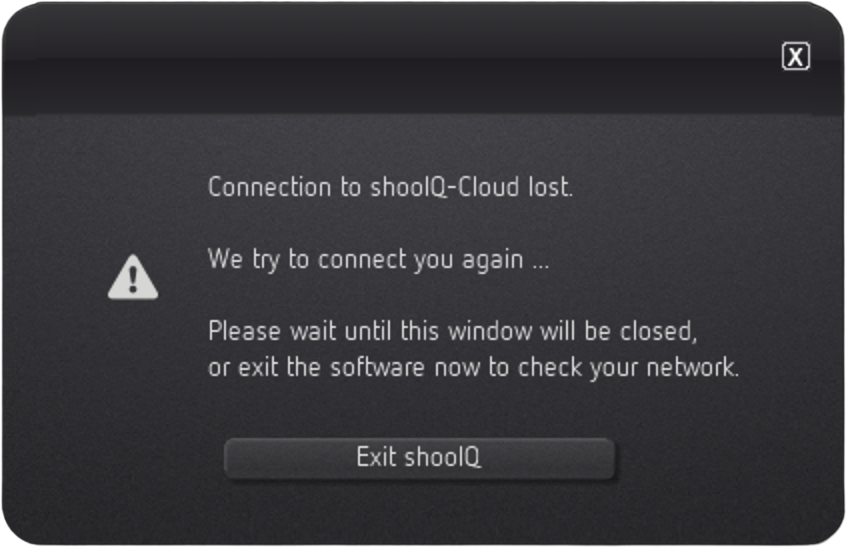
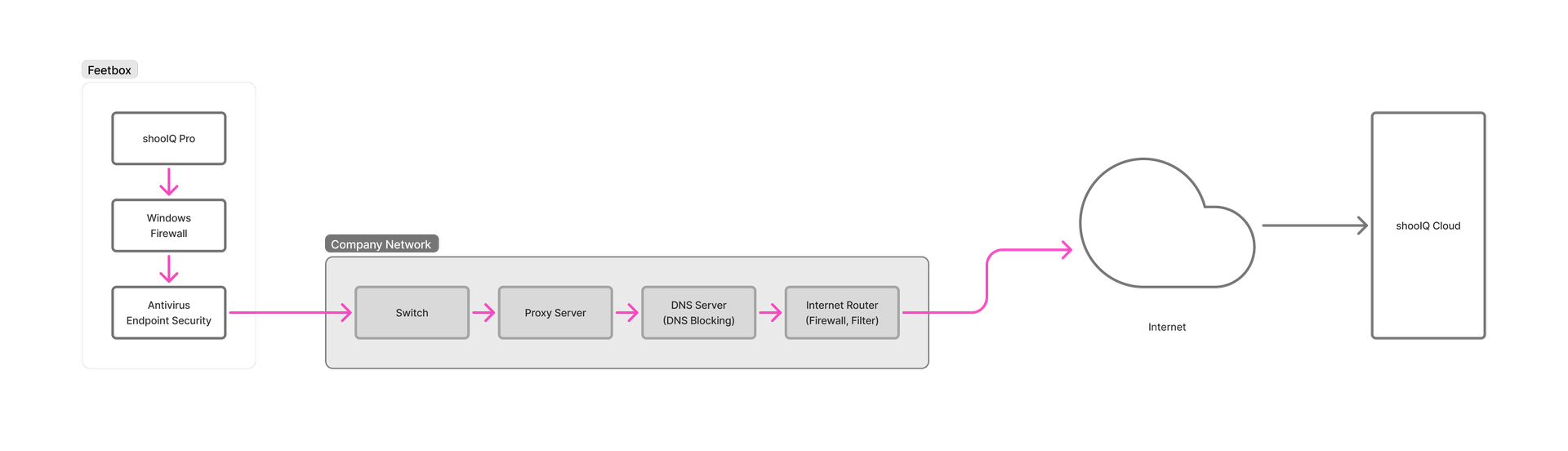
If you experience ongoing "connection to shooIQ cloud lost" messages in your shooIQ Pro Software, there are several possible reasons why this could happen. Most likely, it is one of the components shown in the "Network Devices" box below. Many company networks have several security devices installed before your requests reach the service.
Network Devices
Typical network devices involved in routing your internet requests to the URL target. Each of these devices can block URL access. Please consult your local network administrator to check for blocking or untypical behaviour.
Is there a problem?
Beside the shooIQ Pro Software periodic cloud connection test, you can run a periodic URL test 📄 Internet Stability Testing to see, if the shooIQ Services (target URLs) can be reached from your network. In parallel, a google URL is also tested for generic internet availability. Alternatively, there is also a cloud connection test tool on https://box.shooiq.com.
Try another route
To figure out, where the problem originates from, try to take an alternative network route between your computer and the shooIQ Services (the green one in the figure below). Connect your computer with an Internet Hotspot (📄 Mobile device as internet hotspot) and make sure, that there is no other internet connection active (disconnect the standard route (unplug cable, disconnect any WiFi from your standard network)):
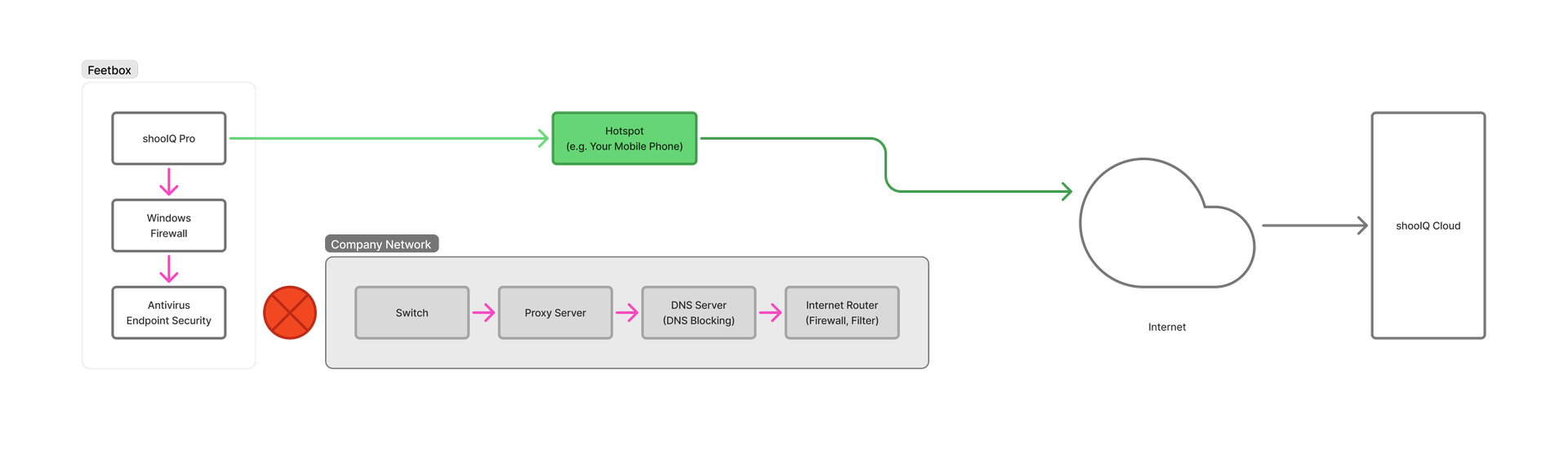
If the "connection to shooIQ cloud lost" message is not coming up from this setup, the problem comes from one of the other network devices (Switch, Proxy Server, DNS Server, Internet Router). Most likely it is a blocked domain shooIQ.com or some network connection timeouts. In this case, please get back to your network administrator.